1. Introduction
Coming from a solid background in AWS and Azure red teaming with multiple certifications under my belt, I was searching for a GCP-focused challenge that wouldn't just be another checkbox exercise. I wanted something that bridges the gap between theory and hands-on exploitation, something that would genuinely prepare me for real-world GCP penetration testing and configuration reviews. That's exactly what led me to White Knight Labs' OGOTC.
The course is provided by White Knight Labs and is focused on Offensive GCP Operations. The course content is exceptionally well designed and covers everything from foundational concepts to advanced cloud attack paths. One thing I really appreciated is that it does not assume you are already an expert in Google Cloud. It starts with the basics first and gradually moves toward more advanced topics, making it a great starting point even for beginners who are new to GCP security.
About the Course
The course heavily focuses on practical offensive cloud operations and teaches how different GCP services can be abused during real world engagements. By the end of the course, It teaches me how to enumerate GCP projects and IAM relationships, abuse service accounts and default agents, exploit metadata, developing C2 by abusing google cloud services and credential exposure, attack GKE and Kubernetes workloads, move laterally between projects, escalate privileges through role misuse, perform cloud persistence techniques, and finally produce a professional cloud assessment report.
One of the strongest parts of the course is the way it explains IAM relationships and privilege escalation paths. Instead of simply showing commands, it teaches how permissions inherit, how roles interact with different services, and how attackers can chain misconfigurations together to gain access to additional resources. The course also dives into metadata abuse, service account impersonation, default compute agents, Kubernetes security issues, cloud functions abuse, BigQuery exposure, Firestore misconfigurations, Docker image abuse, and multiple other attack vectors that are commonly overlooked during traditional cloud assessments.
The course package includes:
- Lifetime course access
- Ongoing updates
- Private GCP lab
- Portal automation
- Discord support
- One exam voucher
- Official OGOTC certification
The ongoing updates are another major benefit because cloud environments evolve rapidly, and offensive techniques also change continuously. Having lifetime access makes the course much more valuable long term.
About the GCP Lab
This course provides a private GCP lab, which means you deploy everything on your own GCP account. This is a genuinely great approach, you never have to worry about lab expiry timers, shared environments, or other students breaking your infrastructure. The setup is straightforward: create a GCP account, generate a service account key with Owner role, add it to the WKL lab portal, and you're operational.
The lab covers an impressive range of services and attack scenarios:
- Cloud Run exploitation and service account abuse
- GKE cluster compromise and container breakout
- Role abuse across custom, predefined, and primitive IAM roles
- Cloud Functions privilege escalation and trigger manipulation
- BigQuery data exfiltration through IAM misconfigurations
- Docker image abuse and container registry attacks
- Firestore and data access exploitation
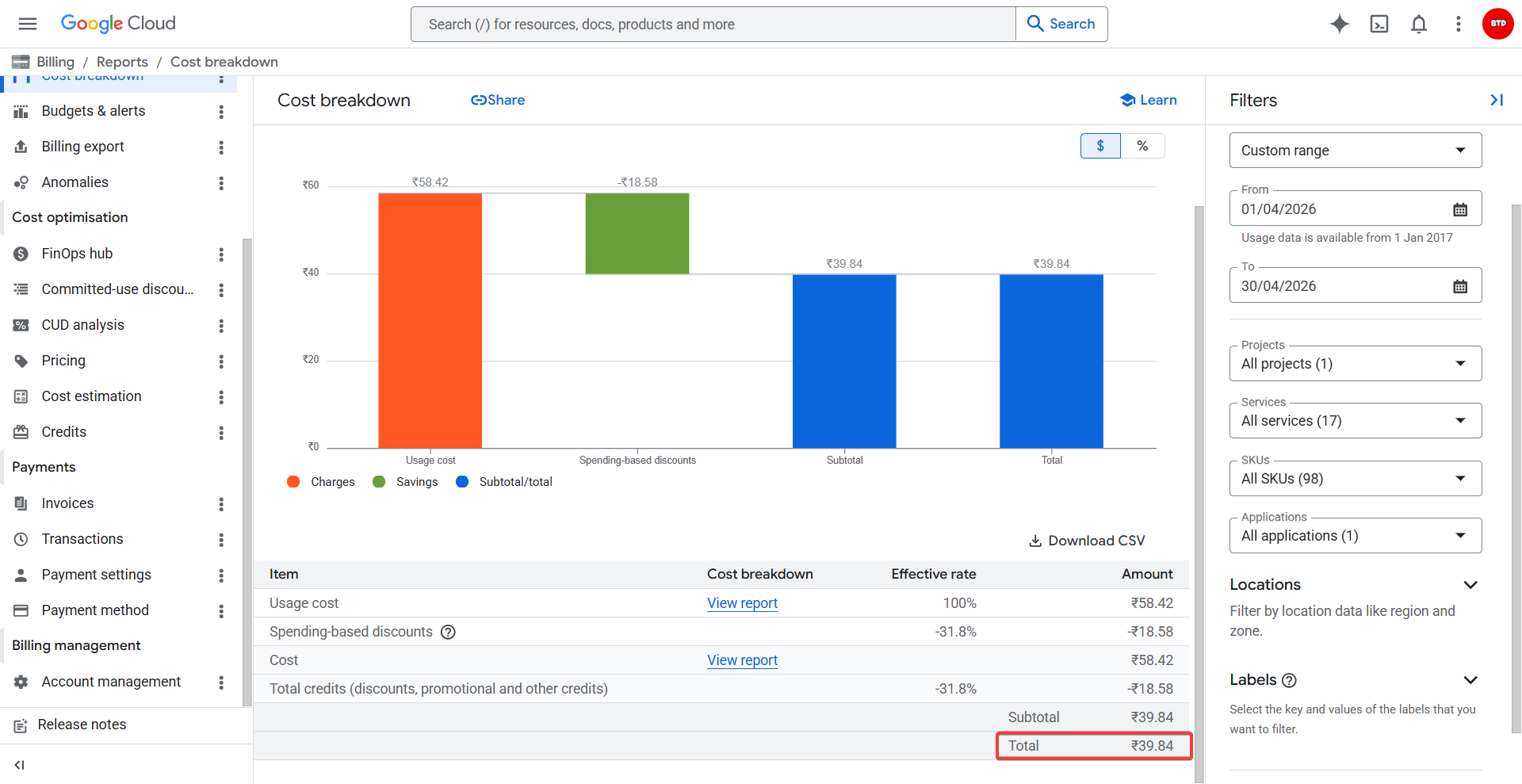
I completed all labs and practiced extensively. Total cost? Less than a dollar. The major benefit is that these labs remain accessible for lifetime practice and reference.
About the Certification and Exam
The OGOTC certification is a fully practical certification focused on offensive operations within Google Cloud environments. Unlike traditional certifications that mainly test theory through multiple choice questions, this certification evaluates your ability to enumerate, exploit, move laterally, escalate privileges, and identify security weaknesses inside a real cloud environment.
I started the exam and had a total of 48 hours to complete the practical portion. In my opinion, the time provided was more than enough to thoroughly enumerate the environment without feeling rushed. However, despite the generous timeframe, the exam still maintains pressure because the attack paths are chained properly. You cannot simply run automated tools or rely on script kiddie techniques. Each step requires actual understanding of cloud services, IAM relationships, permissions, trust boundaries, and how different services interact with each other.
The exam felt very realistic compared to actual cloud penetration testing engagements. Instead of isolated vulnerabilities, the environment requires you to chain multiple weaknesses together, think critically about privilege escalation paths, and identify opportunities for lateral movement. Enumeration becomes extremely important because missing a small permission or overlooked service can completely change the attack path.
Personally, I completed the practical exam in around 20 hours including sleep. For me, the difficulty level felt intermediate because I already had a good understanding of Google Cloud fundamentals and previous experience with AWS and Azure red teaming. Having prior cloud experience definitely helps because cloud platforms share similar concepts around IAM, permissions, identities, networking, compute services, and storage models. Once you understand how cloud environments operate conceptually, it becomes easier to identify what to look for during enumeration.
That being said, beginners may find some parts difficult initially, especially IAM relationships and Kubernetes related attack paths. The exam rewards people who understand cloud architecture rather than people who only memorize commands.
Reporting
After finishing the practical exam, you get an additional 48 hours to complete the reporting phase. One good thing is that you do not need to worry too much about the report structure because they already provide a sample reporting template that you can follow.
I already had good experience writing penetration testing reports, so the reporting portion was not very difficult for me. However, for people who are not very familiar with professional reporting, I would strongly suggest taking screenshots and proof of concepts for every single finding during the exam. Even screenshots from failed attempts can become useful later while explaining attack paths or demonstrating the methodology you followed.
Once you collect proper evidence, the reporting becomes much easier because you only need to organize the findings properly into the provided template. The exam also helps improve your ability to document cloud security findings professionally, which is an important skill during real client engagements.
What I Liked
To be honest, almost every cloud course I previously completed mainly relied on video lectures. This course currently focuses more on written material, and surprisingly I found that extremely beneficial.
The content is perfectly crafted and highly focused on practical knowledge instead of unnecessary theory. While reading the modules, it honestly felt similar to reading Google Cloud documentation, but only the parts that are actually useful during real world offensive operations and cloud assessments. This made the learning process much more efficient.
Every section also includes practical scenarios and labs that help reinforce the concepts immediately. Instead of simply reading about IAM abuse or metadata exploitation, you actually perform the attacks yourself inside the lab environment.
I also really enjoyed the private lab model because I never had to worry about lab expiration times. Since everything gets deployed into my own Google Cloud account, I could revisit the labs anytime and continue practicing without pressure.
Another thing I liked was that the course does not rely heavily on automated tooling. It teaches you how to manually enumerate environments, understand permissions, map attack paths, and think like an actual cloud red teamer. That mindset becomes very valuable during real world assessments.
Preparation Strategy
My preparation strategy was mainly focused on understanding how Google Cloud services interact with each other rather than memorizing commands. Before starting the exam, I completed all the labs multiple times and spent extra time understanding IAM relationships, service account abuse, metadata endpoints, and Kubernetes enumeration.
I would strongly recommend setting up the labs before starting the course itself. Doing the labs while reading the material makes the learning process much easier because you immediately apply what you are studying.
Some areas that helped me the most were:
- Deep understanding of IAM roles and permissions
- Service account impersonation
- GKE and Kubernetes basics
- Metadata exploitation
- gcloud CLI usage
- Cloud enumeration techniques
- Understanding default service agents
- Reviewing Google Cloud documentation
Another important thing is learning how to map attack paths manually. In cloud environments, exploitation usually depends on chaining permissions together rather than exploiting a single vulnerability.
Realistic Expectations
If you are expecting a beginner level certification where you simply follow walkthroughs or run automated tools, then this certification will probably feel difficult.
This exam requires proper understanding of cloud concepts, IAM enumeration, permission analysis, and lateral movement strategies. The environment is designed to simulate realistic cloud attack scenarios instead of CTF style guessing challenges.
However, the course itself prepares you very well if you complete all the labs carefully and understand the concepts deeply. Someone with prior AWS or Azure experience will likely adapt faster because many cloud security concepts overlap between providers.
For complete beginners to cloud security, I would still say the course is manageable because it starts from foundational topics first. You just need to spend additional time understanding how Google Cloud services work internally.
Tips for Future Candidates
Before starting the course, set up the labs first and practice alongside the reading material. It helps a lot with understanding the concepts more clearly.
For the exam itself, my biggest suggestion would be:
- Start with thorough enumeration
- Document everything carefully
- Map permissions properly
- Understand IAM relationships deeply
- Take screenshots continuously
- Do not ignore small permissions
- Think in terms of attack chains
- Use Google Cloud documentation whenever needed
- Practice gcloud CLI extensively
During the exam, first focus on gathering as much information as possible. Once you understand the environment properly, start mapping possible privilege escalation and lateral movement paths based on the permissions available.
If you get stuck anywhere during the course or labs, the Discord support is also very helpful, and the Google Cloud documentation itself becomes an excellent resource for deeper understanding.
Overall, I genuinely enjoyed both the course and the certification. It is one of the few cloud security certifications that actually feels aligned with real world offensive cloud operations rather than just theoretical learning.